Music Player
A powerful, customizable music player that gives you full control over how your music sounds and looks.
Smooth playback for local and cloud‑stored music files.
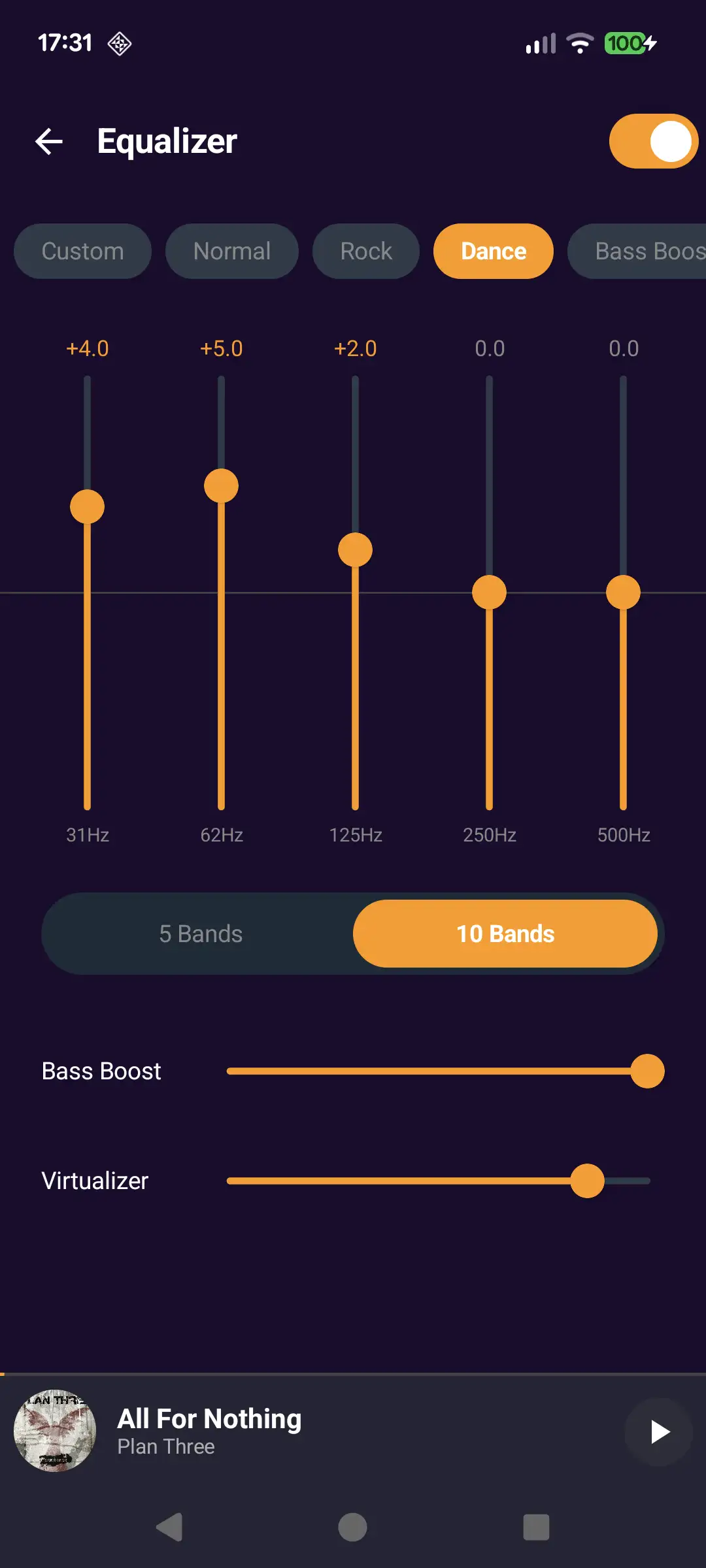
Built‑in 5/10‑band equalizer with bass boost and virtualizer.
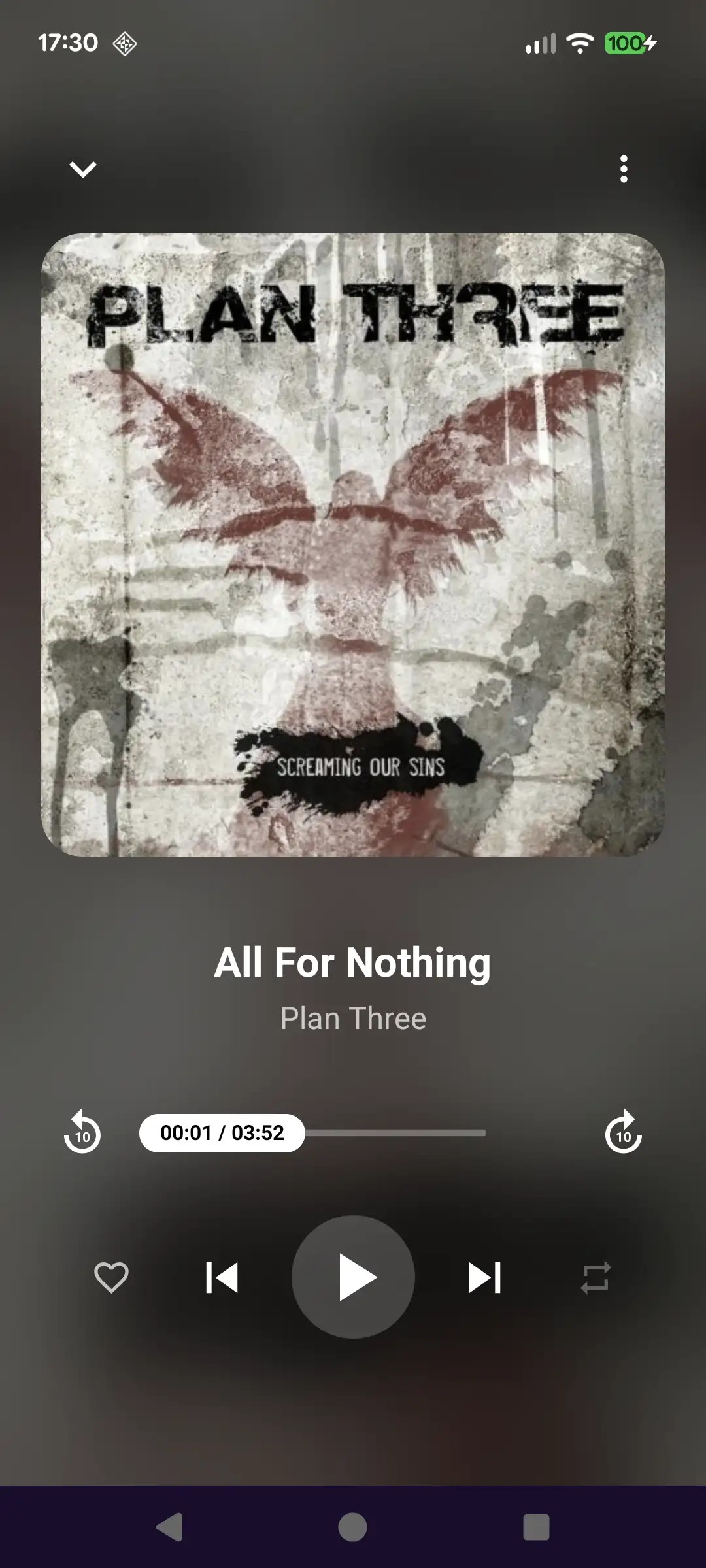
Beautiful, modern UI with now playing screen, playlists, and album browsing.
All your music, organized
Browse by songs, albums, artists, and folders for fast access to tracks.
Powerful sound controls
5‑band or 10‑band equalizer with presets like Rock, Dance, Normal, and Custom. Extra audio options such as bass boost and virtualizer.
- Large album art with intuitive playback controls and seek bar.
- One‑tap access to favorite, repeat, and shuffle so you stay in the flow of the music.

Offline and lightweight
Plays local files without any account or internet connection.
- Optimized performance and battery usage so you can listen longer on the go.
- Minimal background data usage so your battery and mobile data are preserved while you listen.
- Lightweight design focused on local playback, keeping the app fast even on older or low‑end devices.
Testimonials
"Finally a player that just works—smooth playback, great sound tweaks, and a UI that stays out of the way."

"Love the 10‑band equalizer and presets, my headphones finally sound the way they should."

"Fast, simple, and perfect for managing my offline music collection."

Your Questions
Answered
Does Music Player work offline?
Yes, Music Player is designed for offline playback of local audio files stored on your device or SD card.
Which audio formats are supported?
Most common formats like MP3, AAC, FLAC, OGG, and WAV are supported; support may vary slightly by device and Android version.
How do I use the equalizer?
Open the now playing screen, tap the equalizer icon, and choose a preset or adjust the bands manually to create your own sound.
Can I back up my playlists?
Playlists can be exported and imported through the playlist options menu so you can keep them when switching devices.
Does the app collect personal data?
Music Player only uses the permissions required for audio playback and library access; detailed information is available in the Privacy Policy.